 USD
USD

Thermal Binding Machines
Unibind Binding Machines
Create professional reports, proposals, manuals, presentations and hardcover or softcover books in-house—without punching, combs, coils or wire. Compare four UniBinder machines, from the compact UniBinder 60 to the automated, high-capacity UniBinder 8.2.
Choose Your Unibind Thermal Binding Machine
Sub Categories

Peleman (Unibind)
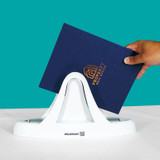
UniBinder 60 Thermal Binding Machine for Reports & Presentations
![UniBinder 120 Thermal Binding Machine by Unibind [251UB80USG1]](https://cdn11.bigcommerce.com/s-1p4wii2p9w/images/stencil/250x250/products/961/3599/251UB80USG1-2__49380.1756926978.jpg?c=1 "UniBinder 120 Thermal Binding Machine by Unibind [251UB80USG1]")

Peleman (Unibind)
UniBinder 120 Thermal Binding Machine with Manual Crimper

Peleman (Unibind)
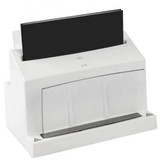
UniBinder 8.1 Automated Thermal Binding Machine with Crimper


Peleman (Unibind)
UniBinder 8.2 Automated Thermal Binding Machine with Crimper
Unibind Machine Guide
Make Finished Books, Reports and Presentations In-House
Unibind thermal binding machines turn printed pages into clean, finished documents without punching holes, feeding wire, snapping plastic combs or outsourcing every short-run job. Choose a machine, pair it with the right Unibind covers, and produce hardcovers, softcovers, proposals, manuals, real estate books, training materials and client presentations from your own office.

Compare Unibind Machines
Four Machines. One Binding System.
The right UniBinder depends on how often you bind, how thick your books are and whether you need a simple desktop machine or a production-style workflow.
UniBinder 60
Small offices, real estate, funeral homes, schools and occasional binding.
Best choice when you want an easy entry into professional thermal binding without buying a larger production machine.
View UniBinder 60UniBinder 120
Offices that bind reports, manuals and presentations on a regular basis.
A better fit when the UniBinder 60 feels too small and you want more working capacity for repeated office use.
View UniBinder 120UniBinder 8.1
Departments, copy rooms, schools and light production environments.
Built for users who bind often and want a faster, more consistent thermal binding process.
View UniBinder 8.1UniBinder 8.2
Production rooms, thicker books and higher-volume presentation binding.
The most capable machine in the lineup, with larger book capacity and a built-in crimper for a clean finished spine.
View UniBinder 8.2How It Works
Print. Insert. Bind. Present.
The process is simple enough for office use, but the finished result looks far more polished than a basic punched document.
Print your document on your copier, laser printer or production printer.
Insert
Place the pages into the correct Unibind hard cover, soft cover, Crystal Flex cover or spine.
Bind
Set the cover in the machine so the thermal adhesive activates inside the spine.
Cool
Let the spine set, then hand over a clean finished book or presentation.
The Cover System
The Cover Decides the Finish.
The machine creates the bind, but the cover determines what the customer sees first. That is what makes Unibind more flexible than a normal office binding machine. The same printed document can become a basic report, a clear-front proposal, a softcover booklet, a hardcover book, a lay-flat presentation or a custom branded piece.
This matters when the finished document is going to a customer, family, board member, buyer, student, client or decision maker. A Unibind machine gives you the production method, but the cover choice controls the final impression. Start with the type of finished piece you want to hand over, then choose the machine and supplies that fit that workflow.

Popular Uses
Built for Jobs Where Presentation Matters
Most customers do not buy a Unibind machine because they love binding equipment. They buy one because they need a better way to present printed work.
Real Estate
Listing books, buyer packets, pre-listing presentations and branded sales materials.
Funeral Homes
Memorial books, tribute programs, keepsake books and personalized printed materials.
Print Shops
Short-run books, upgraded reports and higher-value finishing jobs.
Training
Training manuals, onboarding books, course packets and internal guides.
Business
Client proposals, board books, reports, policy manuals and presentation packets.
Photo Books
Photo books, portfolios, memory books, sample books and lay-flat presentations.
Buying Tip
Order Covers With the Machine.
If this is your first Unibind machine, order covers at the same time. The machine handles the binding, but the covers create the finished look. A starter mix of cover styles or spine sizes lets you test your first books as soon as the machine arrives.


